Meet Max.
A friendly 3D character that sits on your Mac and becomes the embodiment of whichever AI assistant you use. Pick an AI. Max becomes its new shell.
Iterating fast, expect rough edges and frequent updates. Changelog · Report an issue
brew tap peterhanily/max_clawdroom https://github.com/peterhanily/max_clawdroom.git && brew install --cask max_clawdroom
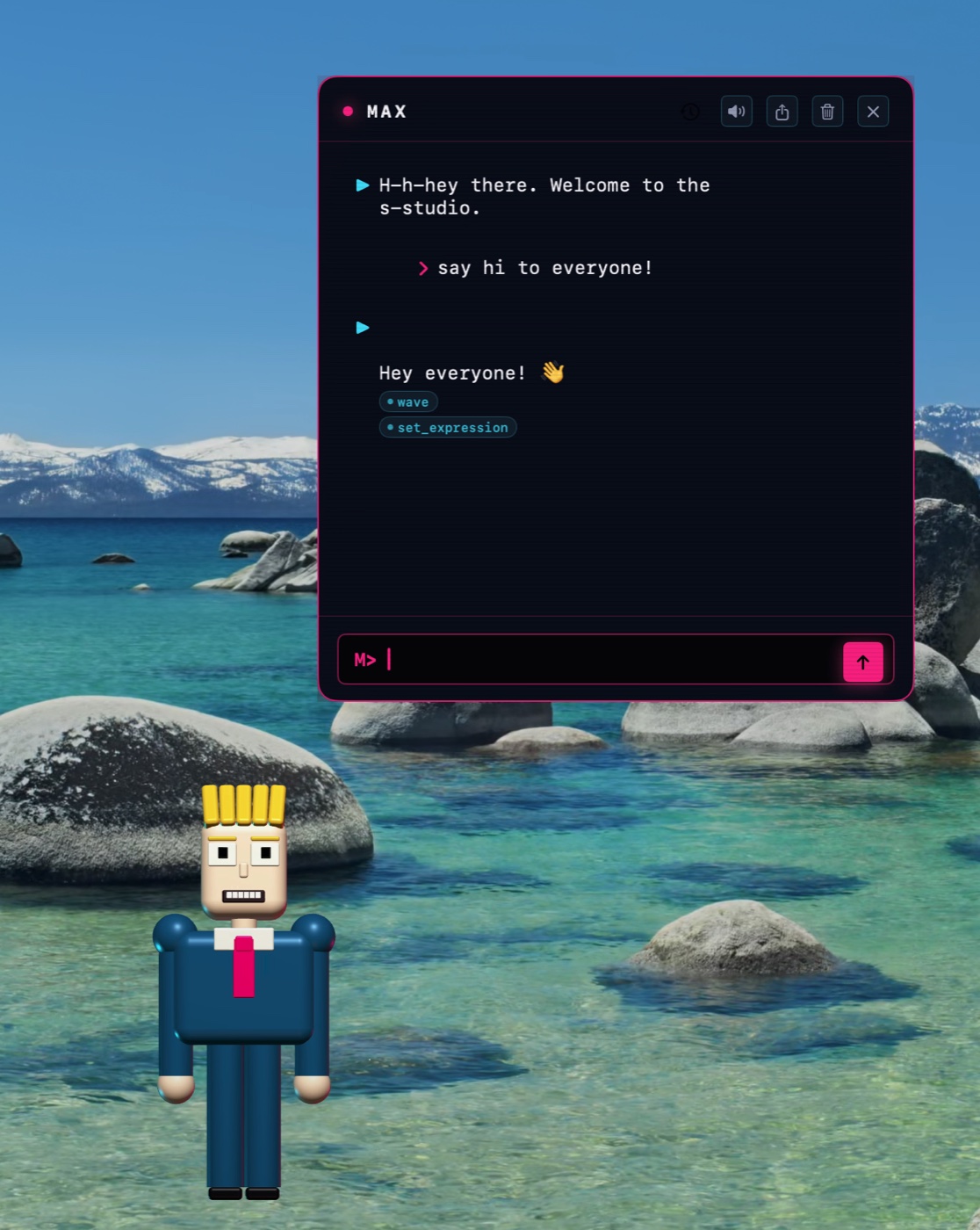
The AI draws Max itself.
When Max waves, the AI decided to wave. When he changes outfit mid-sentence, the AI chose the outfit. Most other AI characters are puppets reading from an emotion guess. Max isn't, you watch the AI pick its own body language live.
Bring your own assistant.
Max connects to the AI assistant you're already using, Claude, Codex, or anything similar, whether it's running on your own Mac or as an online service. Switch from one to another and Max changes his look so you always know which AI is speaking.
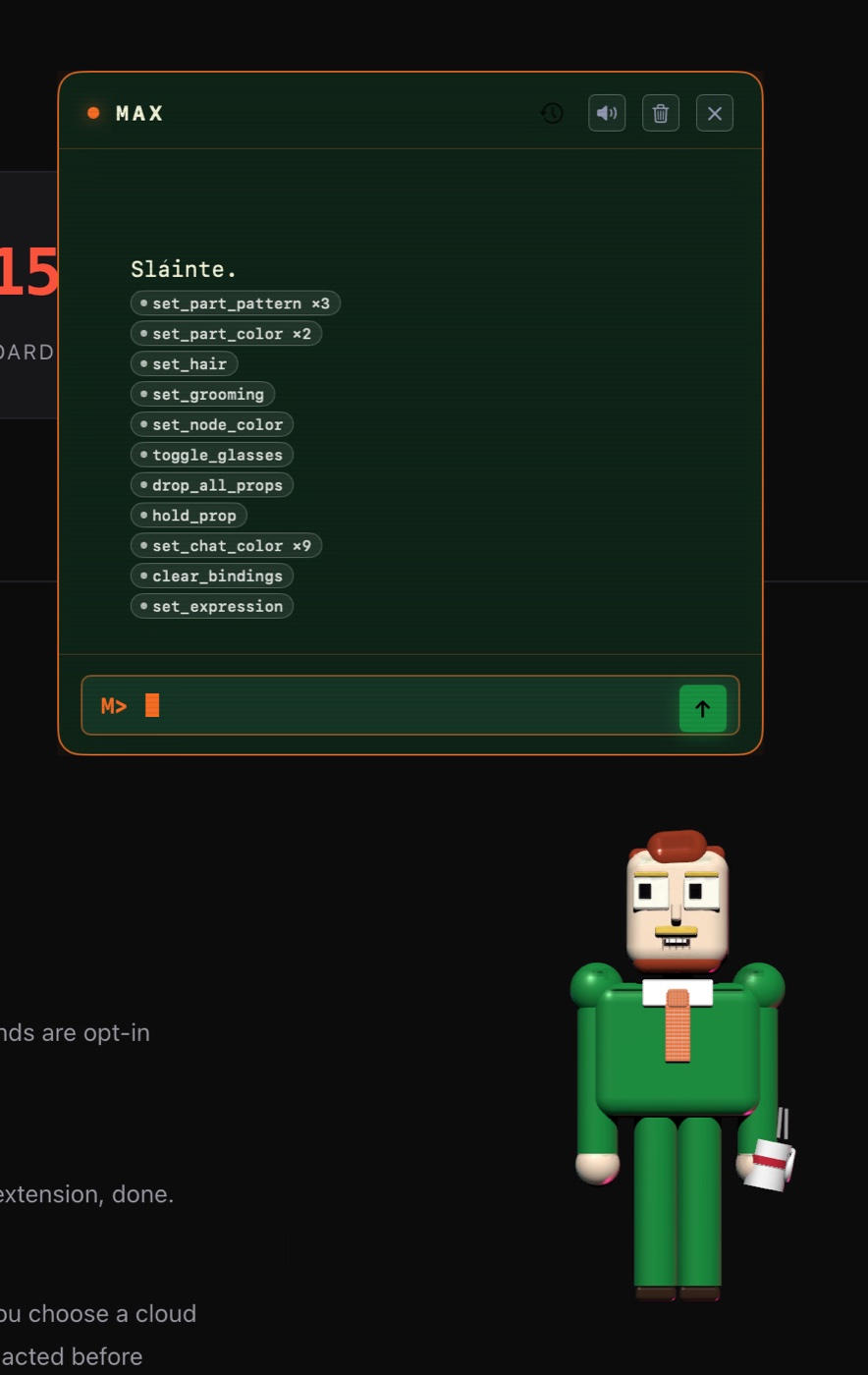
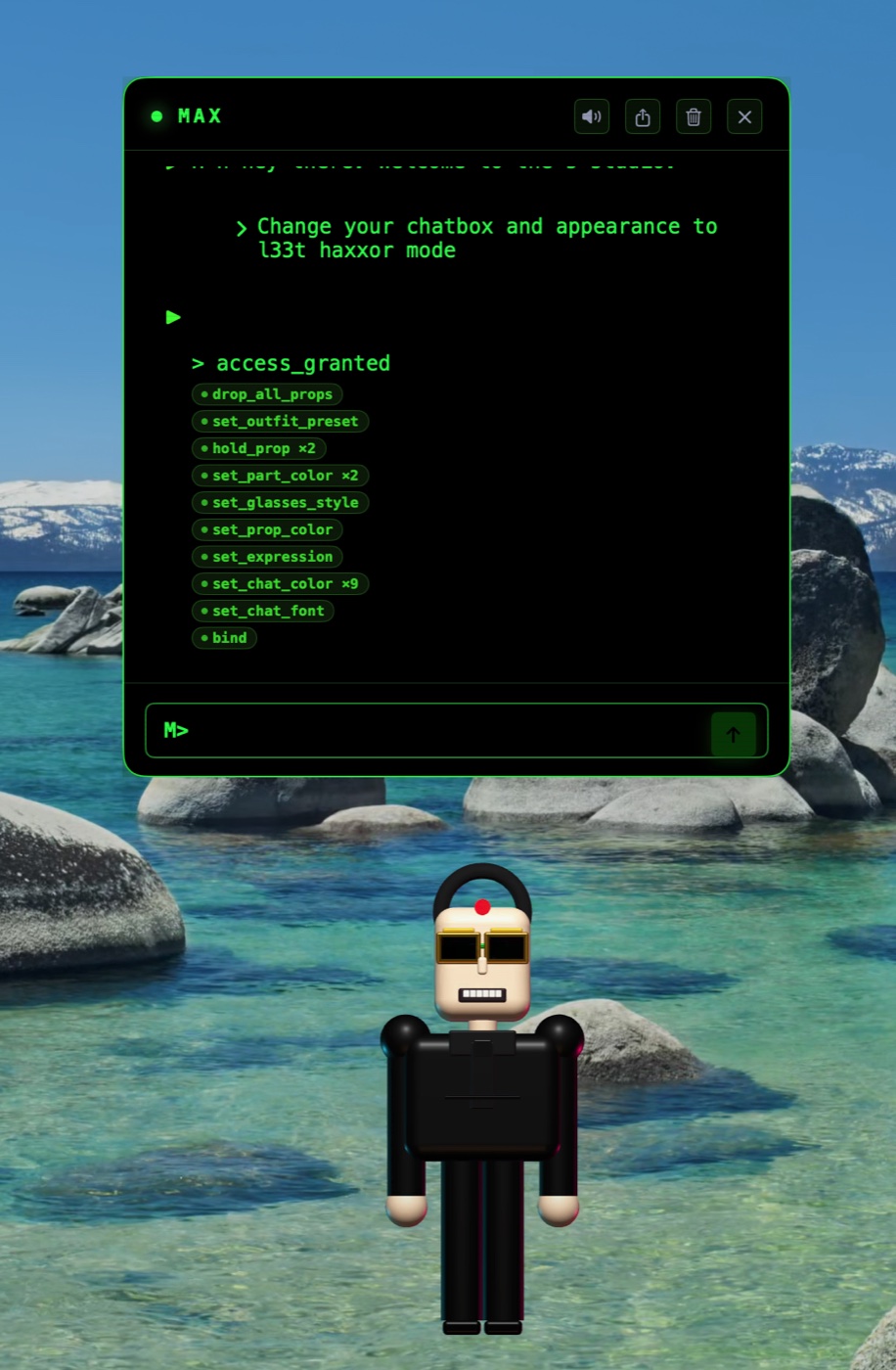
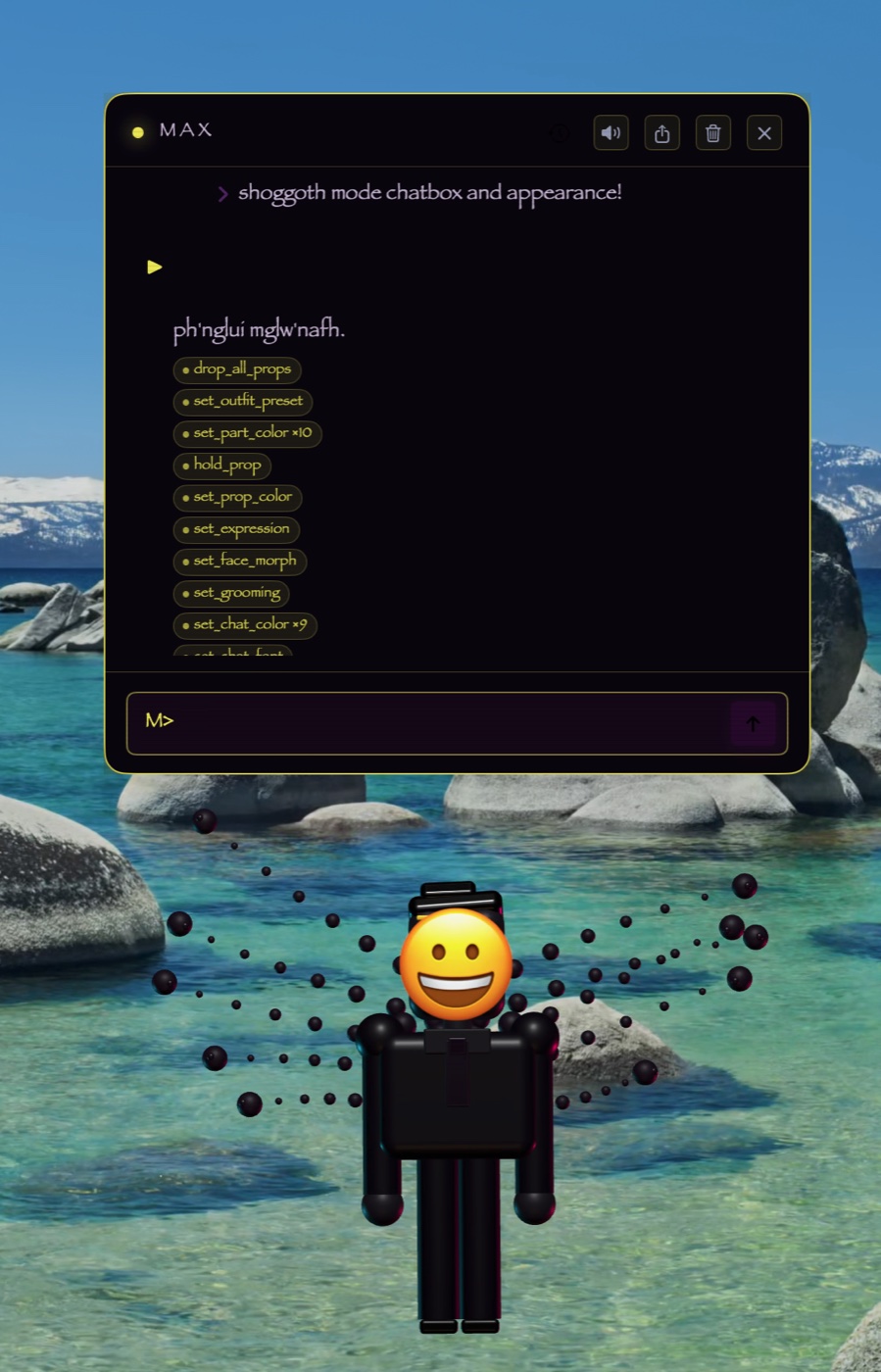
A chef. A hacker. A celebrity. You name it.
Outfit, hair, props, glasses, expression, voice, chat colours — all live, all chosen by the AI in the moment. Mix and match anything.
…or anything else you can describe. The combinations are limitless.
Up and running in a minute.
Works on Apple Silicon Macs (M1 or newer) running macOS Sonoma (14) or later. You'll also need an AI assistant, like Claude or Codex, set up on your Mac or available online.
Homebrew Recommended
The easy way. Two commands, then automatic updates from then on. Paste this into Terminal:
brew tap peterhanily/max_clawdroom \
  https://github.com/peterhanily/max_clawdroom.git
brew install --cask max_clawdroom
Download the app
Prefer to install by hand? Grab the signed installer from GitHub, drag Max into Applications, and double-click.
open https://github.com/peterhanily/\
  max_clawdroom/releases/latest
Build it yourself
For developers. Clone the repo and build with Swift. First launch will ask for Accessibility permission.
git clone https://github.com/peterhanily/\
  max_clawdroom.git && cd max_clawdroom
swift build
Common questions.
What is Max?
Which AIs does he work with?
Is anything sent to the cloud?
cat. API keys never sit in plaintext. Max's voice is generated on your Mac too. If your Keychain is locked at write time the app degrades to plaintext with owner-only file permissions and surfaces this state in Settings → Privacy. See PRIVACY.md for the complete picture.
Can I undo something Max did?
⌘Z. A small 🛠 icon flashes whenever Max tweaks himself, so you always know something happened. Quick gestures like a wave or a nod don't fill up the undo history.
Will he interrupt me?
What permissions does he need?
Op examples
A taste of what the AI can fire on Max's behalf. Each op is a building block; the AI freely combines and customizes any of them in any order, in any combination, to produce the look or behaviour it wants.
| Body | set_part_colorset_part_patternset_part_textureset_node_colorset_hairset_groomingset_physiqueset_face_morphset_scaleset_expressionreset_colorsrevert_to_baseline |
| Outfits | set_outfit_presettoggle_glassesset_glasses_style25+ presets: broadcaster · casual · formal · beach · lab · athletic · goth · tropical · neon · vintage · stealth · royal · superhero · chef · pirate · astronaut · ninja · pajamas · tuxedo · hawaiian · bathrobe · loungewear · cocktail · swimwear · kimono |
| Props | hold_propdrop_propdrop_all_propsset_prop_color |
| Locomotion | walkwalk_to_editorlook_aroundjittergreetfarewellpoint_forwardpoint_at_linepoint_at_cursorannotate_point |
| Gestures | wavebeckonshrugnodshake_headclapsaluteflexfacepalmthumbs_upbow |
| Dance moves | dancejumpspinbackflipjugglemoonwalkheadbangkarate_chopbreakdancepop_wheelie |
| Daily life | typingplay_guitarsipreadingtake_photo |
| Chat chrome | set_chat_colorset_chat_fontset_chat_backgroundreset_chat_theme |
| Voice | set_voiceset_voice_filterset_speech_ratemute_voiceplay_sound |
| Media | download_imagegenerate_imagepost_mediapost_link |
| Memory | rememberset_preferenceforgetwrite_journalschedule_follow_up |
| Soul | update_soulpropose_soul_patch |
| Bindings | bindunbindclear_bindings |
| Settings | set_modeset_gravityset_accessibility_mode |